
How to Cite an Image in MLA 9th Edition
Try it now - paste a URL, DOI, or ISBN
To cite an image in MLA 9th edition, start with the creator's name, then the title of the image (or a short description if it has no title), the date it was made, and where you found it: the museum, the website and URL, or the book and page. A photograph on a website looks like this:
Spratt, Annie. "Library in Wells Cathedral." Unsplash, 15 Oct. 2017, unsplash.com/photos/photo-of-library-shelves-GWCvnsMtiBg.
Unsplash is italic in the formatted entry. Code blocks cannot show italics, so every example below names the italic parts underneath. When you put the image itself into your paper, MLA also gives you a second option: a figure caption under the image that carries the full citation, with no works-cited entry at all. Both routes are below, along with the cases that cause most of the trouble: Google Images, paintings seen in a museum, pictures inside books, and images you generated or took yourself.
The official MLA rule for images
MLA 9 has no separate image template. An image goes through the same core elements as every other source, and you skip the elements that do not apply. The 9th edition kept the template of core elements that the 8th edition introduced, which matters here because many of the MLA Style Center's image answers were written for the 8th edition and carry a banner saying so. The patterns in them still match the current library guides.
Format:
Creator's Last Name, First Name. Title of Image. Date, Museum or Website, URL.
| Core element | What goes there for an image |
|---|---|
| Author | The artist or photographer. A screen name works if that is all the site gives. |
| Title of source | The image's title, or a description in plain text if it has none |
| Title of container | The website, database, book, or article where you saw the image |
| Contributor | The author of the article or editor of the book that reproduces it |
| Publisher | The organization credited, when no person is named |
| Date | When the work was made, or when it was posted if no creation date is given |
| Location | A URL, a page or plate number, or a museum and city |
Three formatting choices decide whether the entry looks right.
Titles in italics or quotation marks. A painting, sculpture, or photograph published as a work in its own right takes italics: American Gothic, Children's Games. The MLA's own entry for an Associated Press photo puts its title, Ali Birthday Boxing, in italics as well. When the title you have is really the title of a post or page that holds one photo, quotation marks are the common choice, and the MLA uses them for a photographer's own web page ("Fishermen at a Lake in Limpopo, South Africa"). Library guides split on stock photos from Unsplash and Flickr; most use quotation marks. Pick one treatment and use it for every image in your list.
Descriptions replace missing titles. If the image has no title, write a short description: Photo of The Muleteer, Mural of a song thrush. A description gets no italics and no quotation marks, and only the first word and proper nouns are capitalized. A title inside a description keeps its own italics, so in "Photo of The Muleteer" only the painting's name is italic.
The museum is a location. For a painting you saw in person, the museum and its city go after the date: Violin and Sheet of Music, 1912, Musée National Picasso, Paris. Skip the city when it is part of the museum's name.
Find the real source before you cite a Google Images result
Google Images is never the source. The MLA's answer on citing an image found through an online search engine like Google Images is that viewing the thumbnail "is not sufficient. You must click through to view the image on the site where it was posted." Every element you need, from the photographer to the date and URL, lives on that page, not on the search results page.
The MLA's worked example started with a search for "Pompeii" and "Bodies" and landed on a blog post on the site Decoded Past. Once you are on the host page, you have two ways to cite. You can cite the image itself, with the blog post and the site as two containers:
Sheldon, Natasha. Photo of The Muleteer. "Human Remains in Pompeii: The Body Casts," by Sheldon, 23 Mar. 2014. Decoded Past, decodedpast.com/human-remains-pompeii-body-casts/7532.
Italicize The Muleteer (a title inside a description) and Decoded Past. Or you can name the image and its creator in your sentence and cite only the blog post:
Sheldon, Natasha. "Human Remains in Pompeii: The Body Casts." Decoded Past, 23 Mar. 2014, decodedpast.com/human-remains-pompeii-body-casts/7532.
The second form is shorter and is the better choice when the post itself is what you are discussing. A click-through can land on a page with no creator, title, or date. You still cite that page. The no-author and no-date case further down covers it.
Worked examples
Each example below is taken from the MLA Style Center or from a college library guide that applies MLA 9. Italic parts are named under each entry.
1. A photograph on a stock photo site
Spratt, Annie. "Library in Wells Cathedral." Unsplash, 15 Oct. 2017, unsplash.com/photos/photo-of-library-shelves-GWCvnsMtiBg.
Italic: Unsplash. In-text: (Spratt). This is the Spartanburg Community College library's example in its MLA guide to citing images and graphs. Use the date the photo was posted when the site shows no date it was taken. A Flickr photo follows the same pattern: Hartmann, Trish. Southern Leopard Frog. 26 June 2013. Flickr, flic.kr/p/eW8jiS.
2. A painting viewed on a museum or archive website
Wood, Grant. American Gothic. 1930, Art Institute of Chicago, www.artic.edu/aic/collections/artwork/6565.
Italic: American Gothic. In-text: (Wood). The museum's name is the website here, so it appears once. The Kirkwood Community College guide to MLA images puts the rule plainly: skip the location and city "if same as name of website." When the image comes from an image database, the database is the container. The MLA's example for a Wikimedia picture of an artwork:
Bruegel, Pieter, the Elder. Children's Games. 1560. Wikimedia, commons.wikimedia.org/wiki/File:Pieter_Bruegel_the_Elder_-_Children%E2%80%99s_Games_-_Google_Art_Project.jpg.
Italic: Children's Games and Wikimedia. The MLA advises linking the commons.wikimedia.org page, not the upload.wikimedia.org file address, because the commons page tells readers which of several copies you used.
3. A painting you saw in person
Picasso, Pablo. Violin and Sheet of Music. 1912, Musée National Picasso, Paris.
Italic: Violin and Sheet of Music. No URL, because you did not see it online. When the medium matters to your argument, add it at the very end as an optional element: Anatsui, El. Transit. 2002, University of Iowa Museum of Art, Iowa City. Wood and pigment.
4. An image reproduced in a book
The MLA's answer on citing an image reproduced in a book says it is "usually sufficient" to describe the image in your text and cite the book. Give the figure number, and the page if there is one:
` In describing the influences of Byzantine and Levantine silks on Anglo-Saxon art, C. R. Dodwell includes an image from the Bayeux Tapestry depicting two beasts eating their own tails (fig. 45, p. 169).
Dodwell, C. R. Anglo-Saxon Art: A New Perspective. Cornell UP, 1982. `
Italic: Anglo-Saxon Art: A New Perspective. When the image itself is your subject, cite it as a work inside the book, with the original details first and the book's details second:
Velázquez, Diego. An Old Woman Cooking Eggs. Circa 1618, Scottish National Gallery. The Vanishing Velázquez: A Nineteenth-Century Bookseller's Obsession with a Lost Masterpiece, by Laura Cumming, Scribner, 2016, p. 27.
Italic: the painting's title and the book's title.
5. An image inside an online article
The same two options apply when a news or magazine article reproduces an image. Either cite the article and describe the image in your sentence, or start the entry with a description of the reproduction. The MLA's example, from its post on a photo or other image reproduced in a website article:
Digital reproduction of Leonardo da Vinci's Mona Lisa. "So Is Mona Lisa Smiling? A New Study Says Yes," by Jason Daley, 17 Mar. 2017. Smithsonian.com, www.smithsonianmag.com/smart-news/is-the-mona-lisa-smiling-new-study-180962580/.
Italic: Mona Lisa and Smithsonian.com. The entry opens with "Digital reproduction of" because you are citing a copy on a web page, not the painting in the Louvre. If an image has been changed, say so in the description. The same article ran a doctored version of the painting, which the MLA cites as "Digitally altered image of Leonardo da Vinci's Mona Lisa."
6. A photo credited to an agency, not a photographer
Ali Birthday Boxing. Associated Press, 17 Feb. 1964. AP Images, www.apimages.com/metadata/Index/Ali-Birthday-Boxing/53549344723246fab043f767baf5e825/18/1.
Italic: Ali Birthday Boxing and AP Images. With no photographer named, the entry begins with the title and the agency moves to the publisher slot. Your in-text citation then keys to the title: (Ali Birthday Boxing).
7. An image from a library database
Hester, Alexander. "Abraham Lincoln (1809-65) 1860 (b/w Photo)." Bridgeman Images: Peter Newark American Pictures, Bridgeman, 2014. Credo Reference, search.credoreference.com/articles/Qm9va0FydGljbGU6MzIxODQwMg==?aid=97845.
Italic: Bridgeman Images: Peter Newark American Pictures and Credo Reference. The database is the second container, after the collection the image belongs to.
8. An image generated with AI
The MLA does not treat an AI tool as an author. Describe the image through its prompt, then name the tool, version, company, date, and share link. In a caption, from the MLA's revised guidance on citing generative AI:
Fig. 1. "Create an expressionist-style image of two people standing on a beach looking at the ocean" prompt, DALL-E, version 3, OpenAI, 23 Sept. 2024, chatgpt.com/share/66f1c3a3-3f90-8000-9750-82c57c4a6592.
Italic: DALL-E. The same elements work as a works-cited entry instead. For text you generated rather than images, see our guide on citing ChatGPT in MLA 9.
Figures and captions in your paper
Once you paste an image into your paper, it becomes a figure. The MLA's answer on formatting figure captions says that visual material other than a table "should be labeled Figure (usually abbreviated Fig.), assigned an arabic numeral, and given a caption," placed "directly below an illustration" with the same one-inch margins as the text.
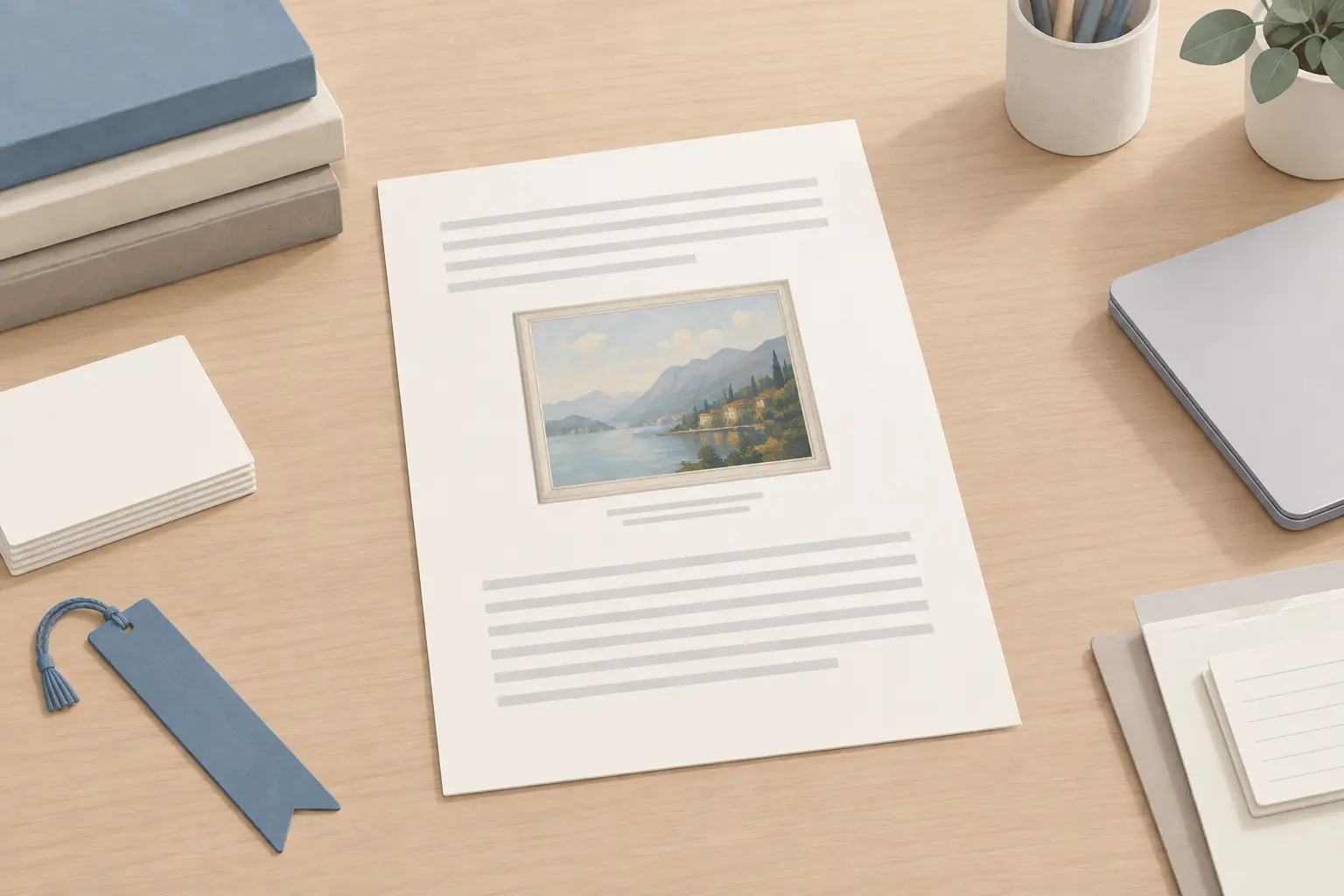
You then pick one of two ways to cite.
Option 1: the full citation in the caption. Give the complete entry after the label. The Kirkwood guide notes one change from a works-cited entry: the artist's name is not reversed.
Fig. 2. Grant Wood. American Gothic. 1930, Art Institute of Chicago.
If you never mention that source anywhere else, you need no works-cited entry for it. This option suits an image that is only illustration, such as a photo of a library at the top of a slide.
Option 2: a short caption plus a works-cited entry. Give the label, a description, and an in-text citation, then put the full entry in your list.
Fig. 1. Old library shelves (Spratt).
That caption points to the Spratt entry in example 1. Use this option whenever you discuss the image in your text or cite the same source elsewhere.
In your prose, refer to figures by number. Spell out the word in a sentence ("Figure 1 shows the stairway") and abbreviate it inside parentheses ("(fig. 1)"). Number figures in the order they appear, starting from 1. Tables are numbered in their own sequence: a paper with two charts and a table has Fig. 1, Fig. 2, and Table 1.
Screenshots and video stills
A frame from a video works the same way, with one addition. If you discuss the video, the caption gives enough to point to its works-cited entry, plus the time stamp:
` Fig. 1. Still from Berrow, See the Quiet Beauty (2:23).
Berrow, Joya, director. See the Quiet Beauty of Farm Life on the Scottish Isles: Short Film Showcase. YouTube, uploaded by National Geographic, 6 Feb. 2018, www.youtube.com/watch?v=qUPbJq9TRiQ. `
Italic: the short title in the caption, the film title, and YouTube. For a still that is only decoration, put the full publication details in the caption and skip the entry. The MLA applies the same caption rules to slides and web projects, with the works-cited list as the final slide.
Special cases
No creator, no title, no date
Start with a description, then the site, then the URL, and add the date you viewed the page at the end. Adapted from the Spartanburg guide's example, for a photo traced back from Google Images to a government page:
Lightning striking a tree. NSSL: National Severe Storms Laboratory, National Oceanic and Atmospheric Administration, www.nssl.noaa.gov/education/svrwx101/lightning/. Accessed 28 July 2026.
Italic: NSSL: National Severe Storms Laboratory. The description is plain text in sentence case. Do not write "n.d." in MLA. With no creator, the in-text citation uses the description: (Lightning striking a tree).
A photo you took yourself
Cite a publicly posted photo like any online image, with your name as author. If it appears only in your paper, the MLA says no works-cited entry is needed: "Unless otherwise indicated, the reader should assume that you are the author of the images included in your paper." A label and caption are enough:
Figure 1. Oculus. New York City.
The MLA treats a selfie the same way. A photo from a family album that you discuss but do not reproduce gets an entry with a description and the words "Author's personal collection" at the end:
Fanatic, Jane. Photograph of Jane Austen's House Museum. 2 Sept. 2017. Author's personal collection.
Street art and murals
The MLA's answer on citing street art depends on how you saw it. If you photographed the mural yourself, include the photo as a figure with the identifying details in the caption, and you need no entry. If you only describe it, an entry is needed only for details that do not fit your sentence, such as the year:
TOTEM. Mural of a rough-legged hawk. 2021, 2157 Amsterdam Ave., New York City.
If you do not know when the work was made, put the date you saw it in the date slot. For a photo of street art found online, the artist is the author, a description of the work comes next, and the website and URL follow: ATM. Mural of a song thrush. ATM Street Art, atmstreetart.com/project/song-thrush/.
An image on an unnumbered page
Books often print plates on unnumbered glossy pages. If the page is counted but not printed with a number, count it: an unnumbered page between 117 and 119 is 118. If a whole section of plates sits outside the page numbering, cite the pages it falls between, as in (Todd, between 246 and 247). For a plate directly opposite a numbered page, (Todd, opposite 247) is correct.
Charts, graphs, and infographics
A chart or graph is cited as a figure on the same terms as a photo. If you use a number from a chart but do not reproduce the chart, cite the article or report it came from. A graph from a database such as Statista, with no named creator, starts with its title in quotation marks:
"Daily Time Spent on Social Networking by Internet Users Worldwide from 2012 to 2025 (in Minutes)." Digital 2025: Global Digital Overview, We Are Social / DataReportal / Hootsuite, Feb. 2025. Statista, www.statista.com/statistics/433871/daily-social-media-usage-worldwide/.
Italic: Digital 2025: Global Digital Overview and Statista.
Details the entry cannot hold
Some facts have no element. The MLA's example is whether a photo was shot on film or a digital camera: there is no slot for it, so you say it in your sentence or in a note.
Common mistakes and how to avoid them
- Citing Google as the website. A Google Images URL points to a search result that changes. Click through and cite the host page, or cite nothing until you find one.
- Inventing a title. A description is not a title. Writing a description in italics or quotation marks tells readers the artist chose those words. Keep descriptions in plain sentence case.
- Citing a reproduction as the original. A painting you saw on a museum website gets the website and URL. A painting in a gallery gets the museum and city. A copy inside a news article gets "Digital reproduction of" and the article.
- A caption and an entry that disagree. With option 2, the caption's parenthetical must match the first word of the works-cited entry. A caption reading (Spratt) needs an entry that starts with Spratt.
- Writing "fig." in a sentence. Spell it out in prose ("Figure 1 shows"). Abbreviate it in parentheses and in the caption label.
- Abbreviating July. MLA abbreviates most months in the works-cited list, but May, June, and July stay in full. Some library guides print "Jul."; MLA does not.
Quick-reference table
| Case | Works-cited entry pattern | In-text |
|---|---|---|
| Photo on a website | Photographer. "Title." Site, Date, URL. | (Photographer) |
| Artwork online | Artist. Title. Year, Museum, URL. | (Artist) |
| Artwork in person | Artist. Title. Year, Museum, City. | (Artist) |
| Image in a book | Cite the book, or Artist. Title. Year. Book, by Author, Publisher, Year, p. #. | (Author, fig. #, p. #) |
| Image in an article | Description of reproduction. "Article," by Author, Date. Site, URL. | ("Digital reproduction") |
| Agency photo | Title. Agency, Date. Site, URL. | (Title) |
| AI image | "Prompt" prompt, Tool, version #, Company, Date, share URL. | ("Prompt") |
| No creator or date | Description. Site, URL. Accessed Date. | (Description) |
| Your own photo, unpublished | No entry. Caption only. | (fig. #) |
| Full citation in caption | No entry, if cited nowhere else. | (fig. #) |
Frequently Asked Questions
Related Guides
How to Cite Multiple Authors in MLA 9th Edition
Worked examples for how to cite multiple authors in MLA 9: the comma before and, et al. from three authors up, shared surnames, editors, and ordering coauthored works.
How to Cite ChatGPT in MLA 9th Edition
The August 2025 MLA format for ChatGPT: prompt as title, model name as version, share link as location, with in-text citations, AI images and Copilot sources.
How to Cite Wikipedia in MLA 9th Edition
Worked examples for how to cite Wikipedia in MLA 9: the works-cited entry, permanent links, access dates, old revisions, identical titles and the in-text citation.
Try AllCitations for Free
No account required. Generate your first citation in seconds.
Start Citing for Free